 ESPresense
Calibration
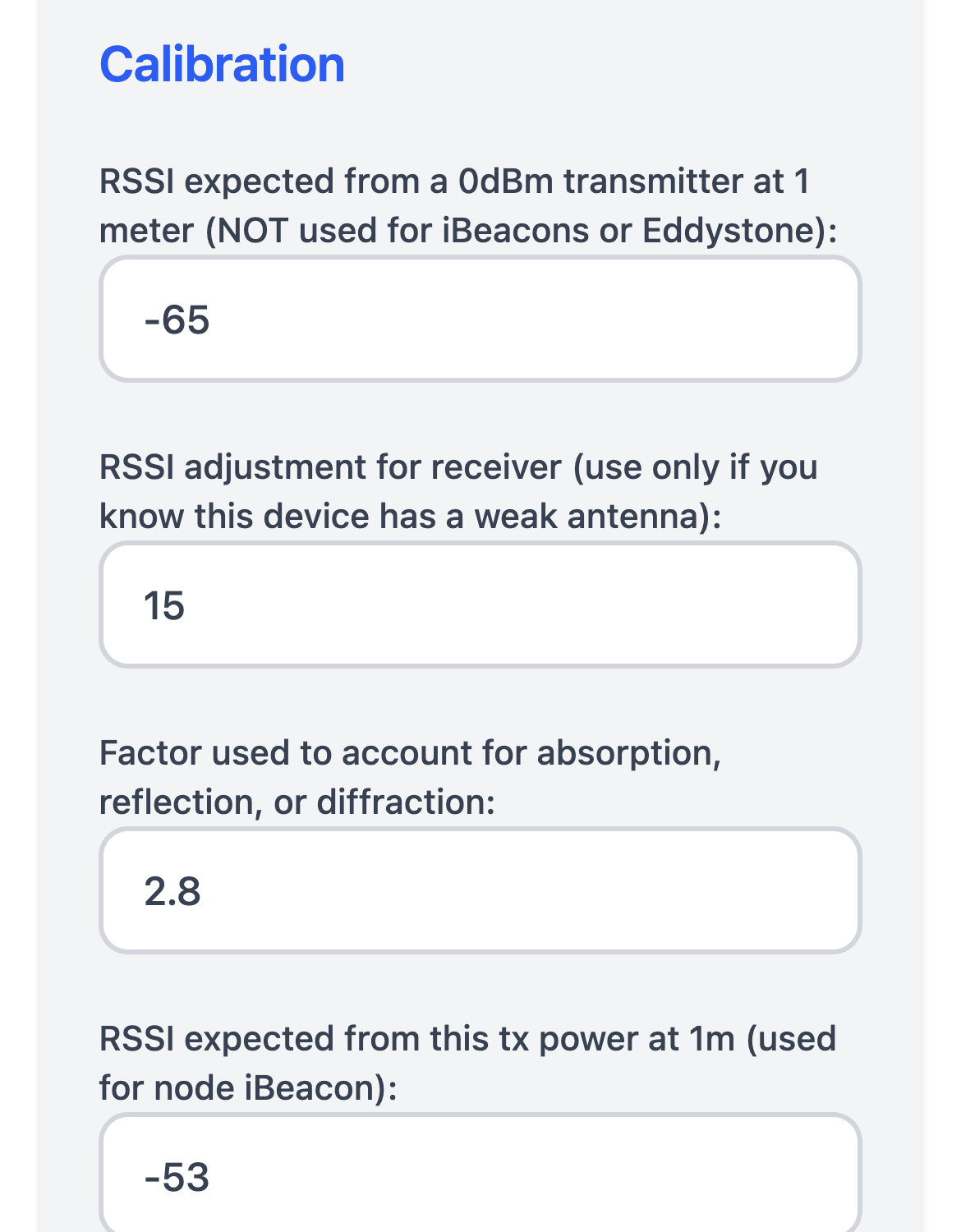
Calibrating your ESPresense nodes helps each device estimate distance consistently, even when they use different antennas or are installed in different rooms. The settings below are available from the full Settings view on the device web UI.
Quick calibration procedure
- Pick a reference node that will stay at its default RSSI adjustment for receiver of
0and set it up in an open area. - Place a beacon that transmits exactly 0 dBm one meter away and record the average RSSI reported by the reference node.
- Enter that value in RSSI expected from a 0dBm transmitter at 1 meter on every node that will track non-calibrated devices.
- For each additional node, compare its reading of the same beacon at the same location and adjust RSSI adjustment for receiver as described below until its reported RSSI matches the reference node.
- If the signal passes through walls or dense materials between rooms, increase the Factor slightly (for example, from
2.55to3.0) and test whether calculated distances align better with reality. - Repeat the measurements in a second location to confirm the offsets before rolling the settings out across your deployment.
RSSI expected from a 0dBm transmitter at 1 meter
This value establishes the reference point for devices that do not broadcast a calibrated rssi@1m (for example, many non-beacon wearables). To determine it:
- Use a beacon transmitting at exactly 0 dBm.
- Place the beacon 1 meter away from the ESP32.
- Observe the RSSI reading on the Settings page and record the average value.
- Enter that number as the reference.
Devices that already advertise rssi@1m keep their own calibration; others use this reference plus any additional adjustments below.
Factor used to account for absorption, reflection, or diffraction
This factor adjusts for walls, furniture, or other environmental obstacles between rooms. Higher numbers assume more attenuation; lower numbers assume minimal obstruction. Increase the factor if reported distances are too small when signals pass through dense materials (brick, concrete, metal framing).
RSSI adjustment for receiver
Different ESP32 boards and external antennas can report RSSI differently, even with identical firmware settings. The RSSI adjustment for receiver value is an offset (in dB) applied to all RSSI readings from a node so that mixed hardware stays aligned.
Typical use cases include:
- Balancing a node that uses a high-gain external antenna against nodes with built-in antennas.
- Normalizing readings between dev boards that ship with slightly different radio front-end tuning.
To tune the RSSI adjustment for receiver:
- Pick a reference node (leave its RSSI adjustment for receiver at 0) and place a known beacon at a fixed distance from both the reference and the node you want to adjust.
- Compare their reported RSSI values for the same beacon.
- On the node that reads stronger, set a negative value equal to the difference; on a weaker-reading node, set a positive value until both nodes report approximately the same RSSI.
- Repeat with a second location to verify consistency, then apply the same offset to nodes that share the same antenna or board type.
Because the RSSI adjustment for receiver is an additive offset, it does not change the relative movement of a device within a single room, but it keeps multi-room trilateration and occupancy decisions fair between nodes with different hardware.
Forget beacon if not seen for (in milliseconds)
Controls how long a MAC address stays in the internal tracking list. Shorter durations remove stale devices sooner but may cause the same device to be re-added frequently if it only broadcasts occasionally. The default is 300000 ms (5 minutes).
Calibration tips
- Re-run the reference measurement if you change antennas or enclosure materials.
- Perform RSSI adjustment for receiver comparisons with beacons at least a few meters away to avoid near-field effects.
- When installing multiple nodes in one room, calibrate them together to avoid uneven presence detection at room boundaries.